 VisionOne7

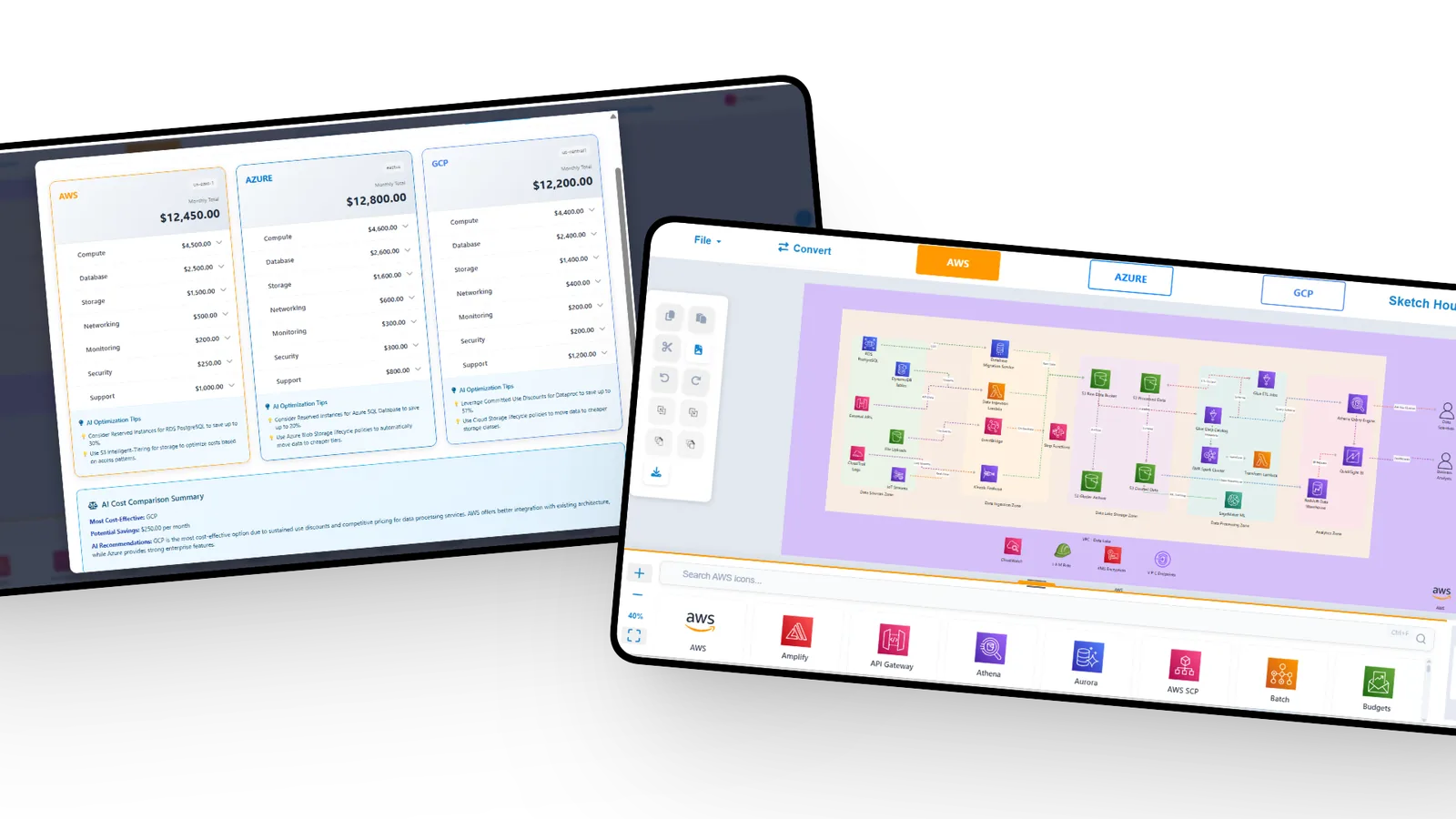
Stop losing hours to manual diagramming.
The difference between a drawing tool and an architecture assistant.
Without CloudSketcher
- Hours spent placing icons and arrows by hand
- Diagrams go stale every time infrastructure changes
- Redrawing everything to switch cloud providers
- Separate docs that quickly fall out of date
- Guessing costs until the bill arrives
With CloudSketcher
- Diagrams generated from text in seconds
- Whiteboard photos become editable diagrams
- One-click conversion between AWS, Azure and GCP
- Auto-generated documentation and Terraform
- Cost estimates for your architecture, per cloud
Powerful AI tools for cloud architects.
Everything you need to design, document and deploy cloud infrastructure.
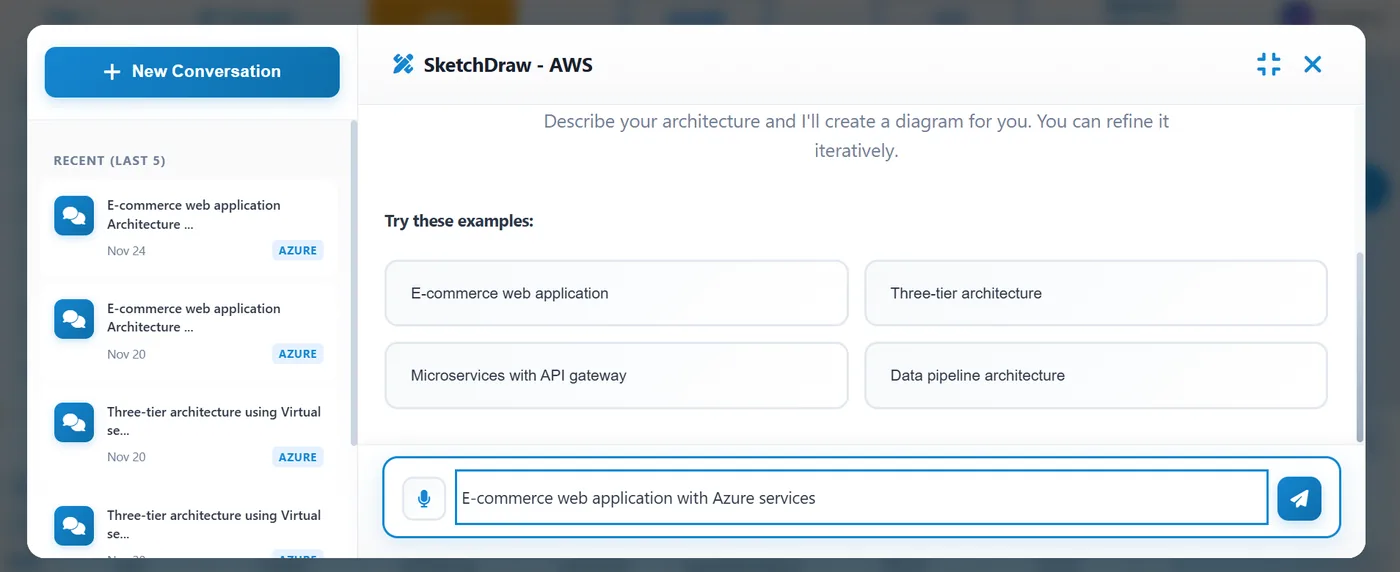
Text to diagram, instantly.
“I need a web app with a load balancer, two EC2 instances and an RDS database.” CloudSketcher turns that into a clean, editable diagram with the right icons, connections and best practices.
- Natural-language architecture descriptions
- Automatic service icon selection and placement
- Smart connection routing
- Export as PNG, SVG or PDF
One architecture. Any cloud.
Design with native AWS, Azure or GCP services and switch providers in a single click while keeping your architecture intact — ideal for comparisons, migrations and multi-cloud strategies.
- Native icons for AWS, Azure and GCP
- Automatic service mapping between clouds
- Side-by-side monthly cost comparison
- AI cost-optimisation tips per provider
From diagram to Terraform.
CloudSketcher analyses your architecture and generates Terraform with sensible security defaults and a modular structure — review, customise and deploy with confidence.
- Auto-generated Terraform configurations
- Security-minded defaults
- Module-based code organisation
- Download and commit to your repository
# Auto-generated by CloudSketcher
resource "aws_vpc" "main" {
  cidr_block = "10.0.0.0/16"
  tags = { Name = "main-vpc" }
}

resource "aws_subnet" "public" {
  vpc_id     = aws_vpc.main.id
  cidr_block = "10.0.1.0/24"
}
Whiteboard photo to diagram.
Snap a photo of the sketch from your design meeting. CloudSketcher recognises components, connections and patterns and turns them into a fully editable diagram.
- Upload photos, screenshots or old diagrams
- AI component and connection recognition
- Automatic cloud service identification
- Fully editable output
From idea to diagram in three steps.
No learning curve. Describe what you need and CloudSketcher does the drawing.
- 01
Describe or upload
Type your requirements in plain English, upload a whiteboard photo or start from a template.
- 02
AI builds the diagram
CloudSketcher identifies services, maps connections and lays out a professional diagram in seconds.
- 03
Refine and export
Edit anything, compare costs, convert clouds, then export PNG/SVG/PDF or Terraform.
Born from our own frustration.
Every architecture review meant redrawing diagrams. Every migration meant starting from scratch. Every documentation update meant hours of tedious work.
So we built CloudSketcher — combining 15+ years of cloud architecture experience with AI, so architects can focus on designing great systems instead of wrestling with drawing tools.
“Eliminate the friction between thinking and visualising cloud architecture. When you can iterate on designs as fast as you think, innovation accelerates.”
Free to use. Start now.
Free access to the core features for everyone — no credit card required.
Core features, no time limit on getting started.
- AI diagram generation
- AWS, Azure and GCP support
- SketchDraw, SketchTF and SketchVision
- PNG and SVG export
- Terraform code generation
How accurate is the AI diagram generation?
CloudSketcher maps your description to real cloud services and sensible connections. Every diagram is fully editable, so you can refine anything the AI gets differently from what you intended — most diagrams need only small tweaks.
Can I customise the generated diagrams?
Yes. Move components, change connections, add annotations, adjust styles and add icons. Treat AI generation as your starting point, not the final product.
Is my data secure and private?
All data is encrypted in transit and at rest, and stored and processed on Microsoft Azure. Your diagrams are never used to train models, and you keep full ownership of your designs.
Does it support multi-cloud architectures?
Yes. You can mix providers in one diagram and convert entire diagrams between AWS, Azure and GCP with automatic service mapping.
What export formats are supported?
PNG, SVG, PDF and Terraform (.tf).
How does SketchVision work with images?
Upload a photo of a whiteboard sketch, a screenshot or an existing diagram. The AI recognises cloud components and connections and converts them into an editable CloudSketcher diagram. Clear, well-lit images work best.
Can I use CloudSketcher offline?
CloudSketcher is a web app and needs an internet connection for AI features and sync. Exported diagrams can be used offline.
Is CloudSketcher really free?
Yes — CloudSketcher currently offers free access to its core features, including AI generation, multi-cloud support and Terraform export. No credit card required.
Ready to transform your architecture workflow?
Generate professional diagrams in seconds, export Terraform and switch clouds in one click — all free.